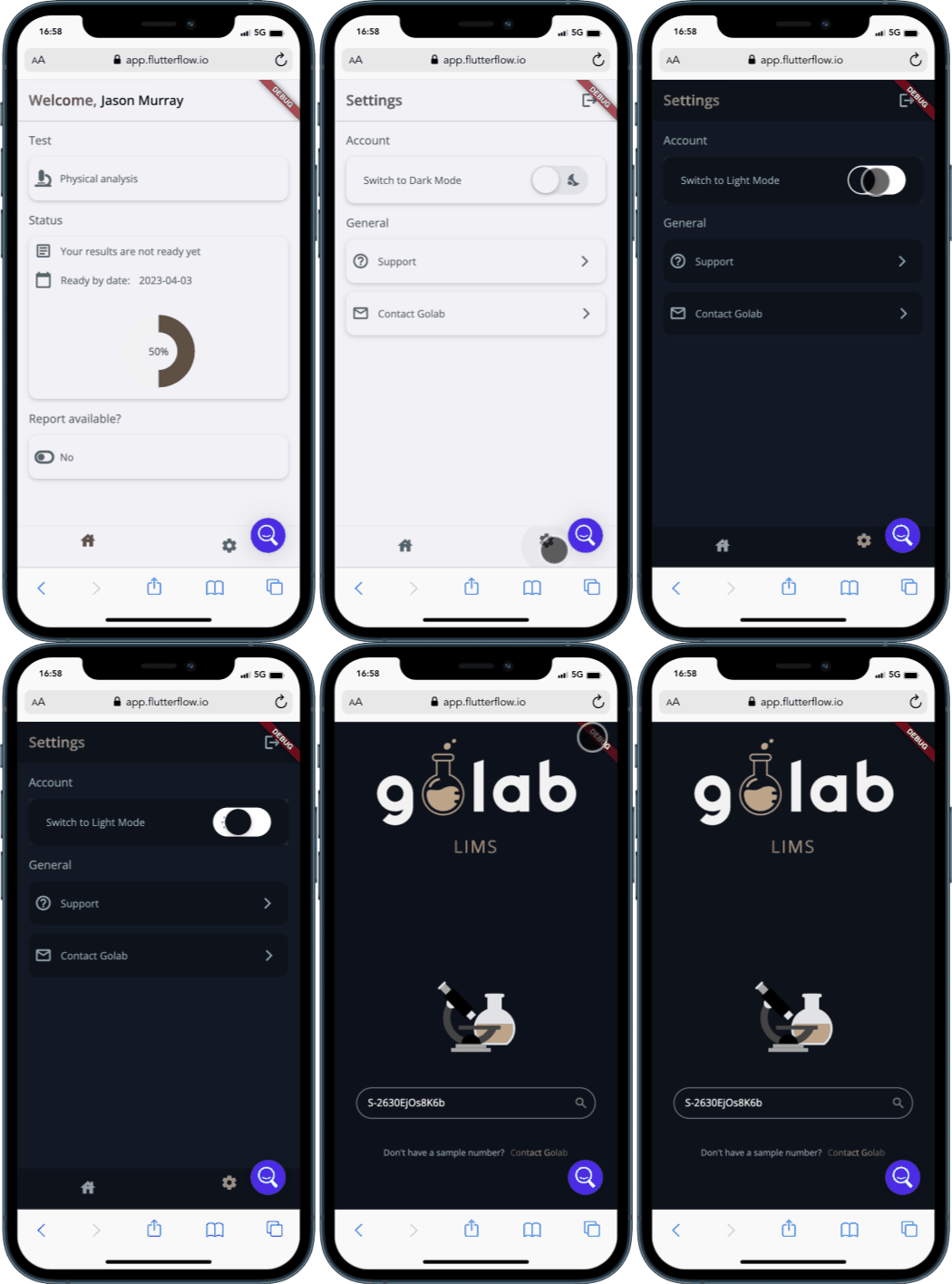
OUTLINE
The golab Mobile App is designed specifically for patients, looking to provide easy access to their test results as soon as the sample process is complete.
It was created using FlutterFlow, a low-code platform that allowed us to simplyfy the development process and focus on the design and functionality of the app to create a better user experience.

Features
How to use golab Mobile App
Authentication
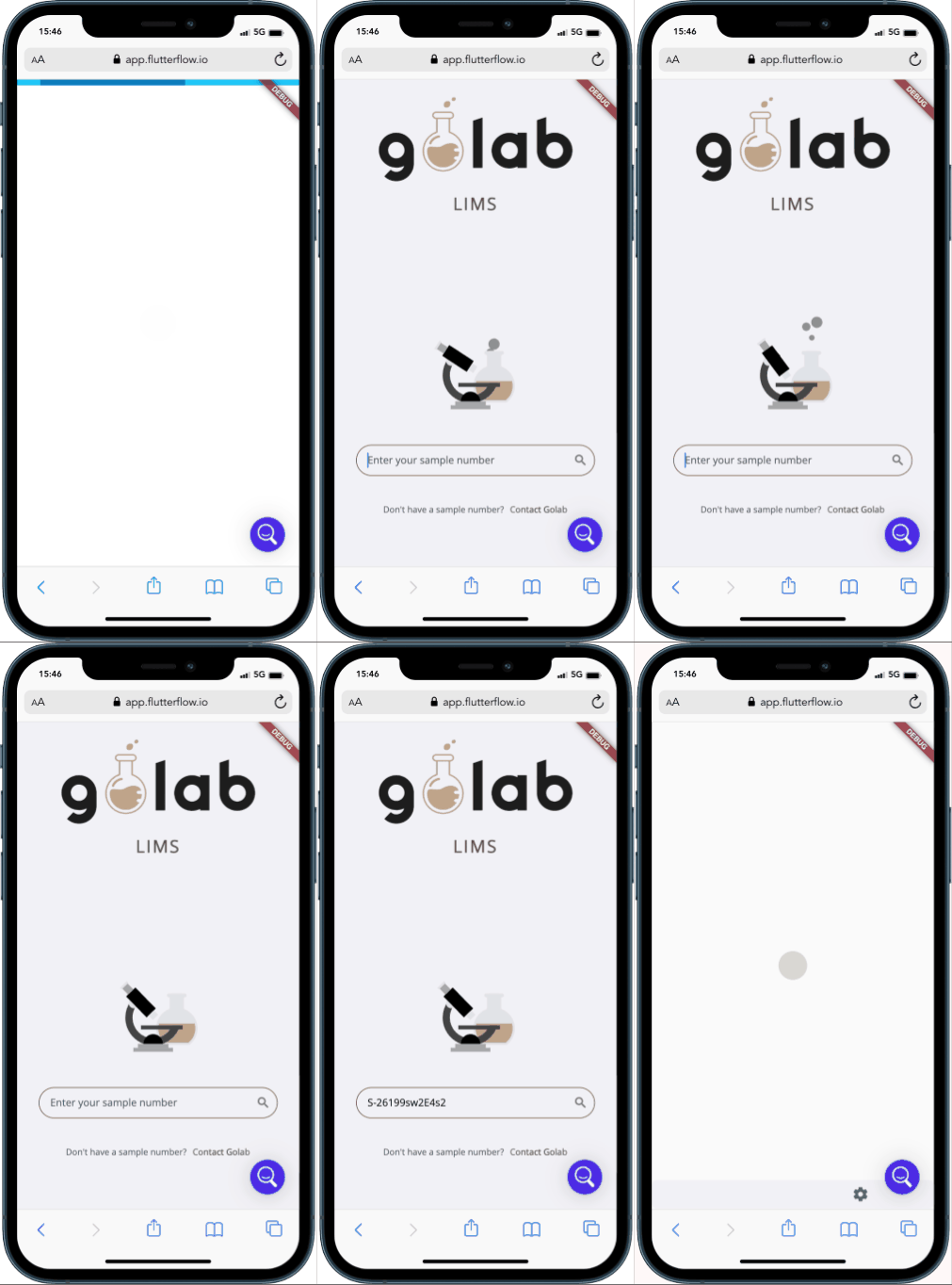
After a sample is received and a record is created, golab will provide the patient with a unique sample code via email. This code can be used to access the app and check the status of their test. If the sample code entered is incorrect, the app will display an alert message.
Home Page
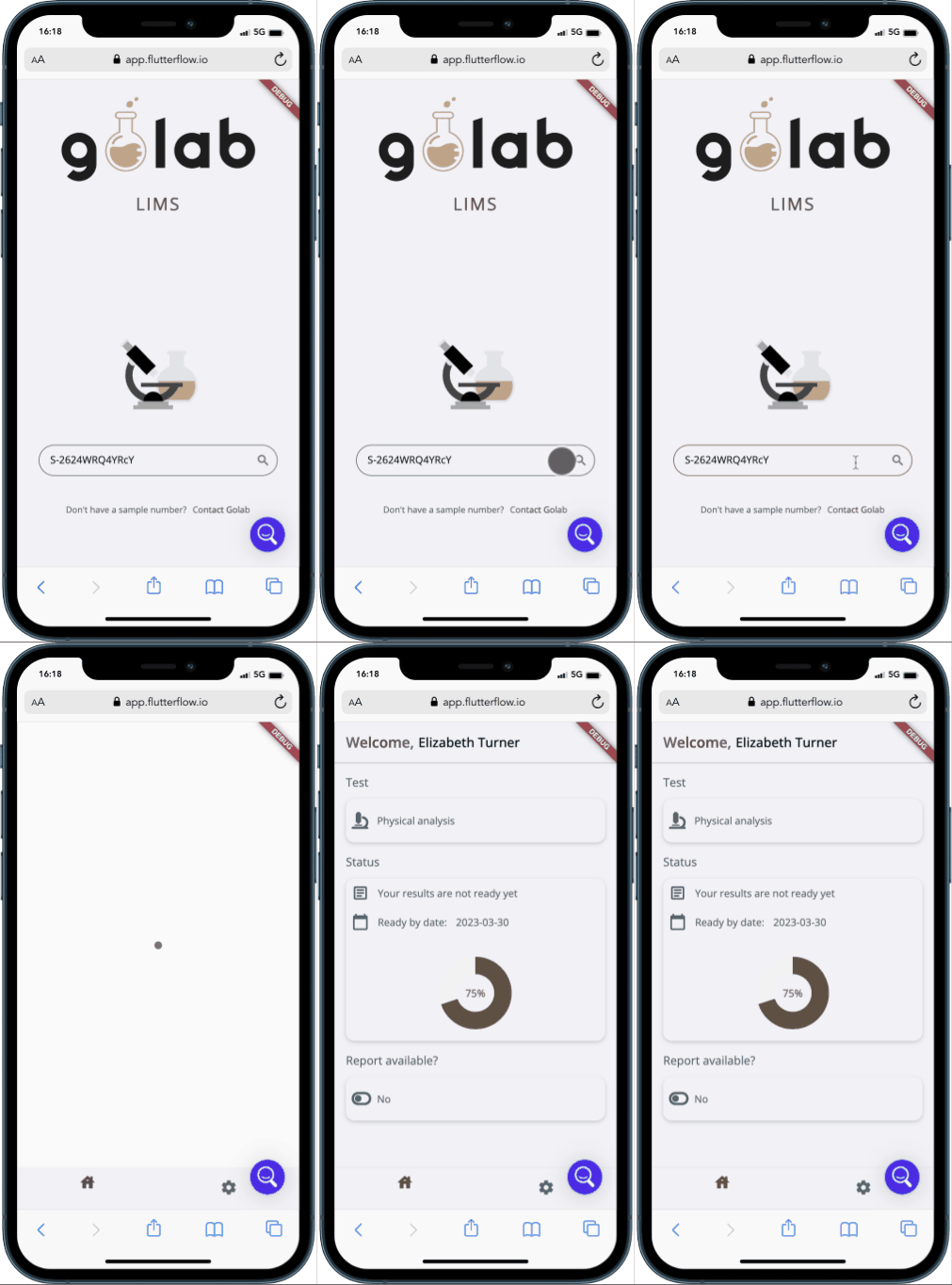
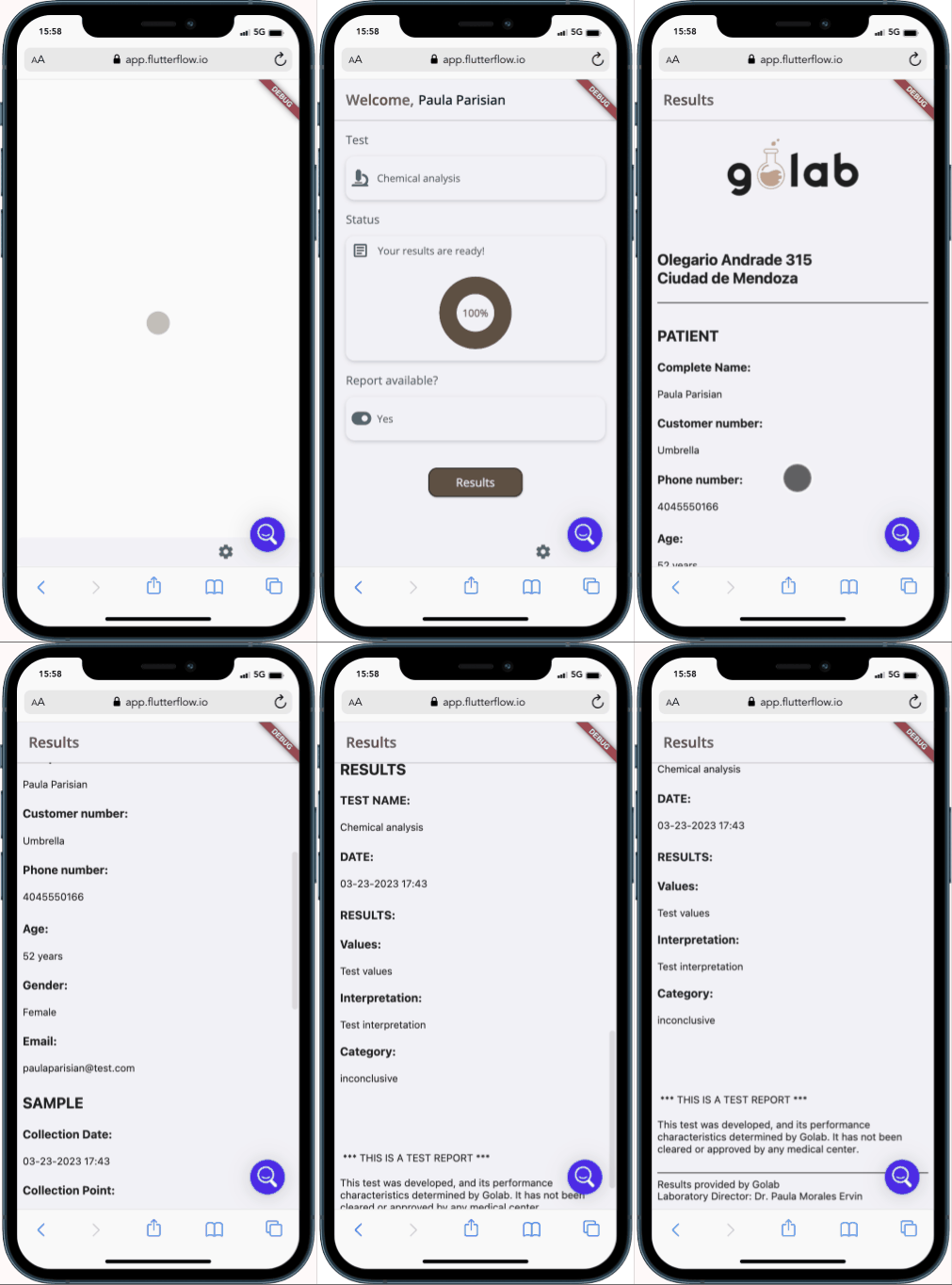
After logging in, the patient will be taken to the home page, which displays their name, the type of test taken, and the expected date when results should be available based on the test method’s timeline.
A progress bar on this page shows the current status of the test and updates automatically as the status of the sample changes in the Slingr platform.
Once the test results are ready, a button will be displayed that the patient can click to access their report.
Report
The report page displays the test results in an HTML format that includes all the information available in the report generated by the Slingr platform. This information includes the patient’s name, the test name, the test method, the date the test was performed, and the test results themselves.
Settings
The settings page provides options for the patient to customize the app, such as toggling between light and dark mode. In addition, the page includes a support button and a contact button for reaching out to the support team if needed. The patient can also log out of the app from this page.